You tried AI and got melted logos, spelling mistakes and people with seven fingers.
EbookFor business owners and freelance designers
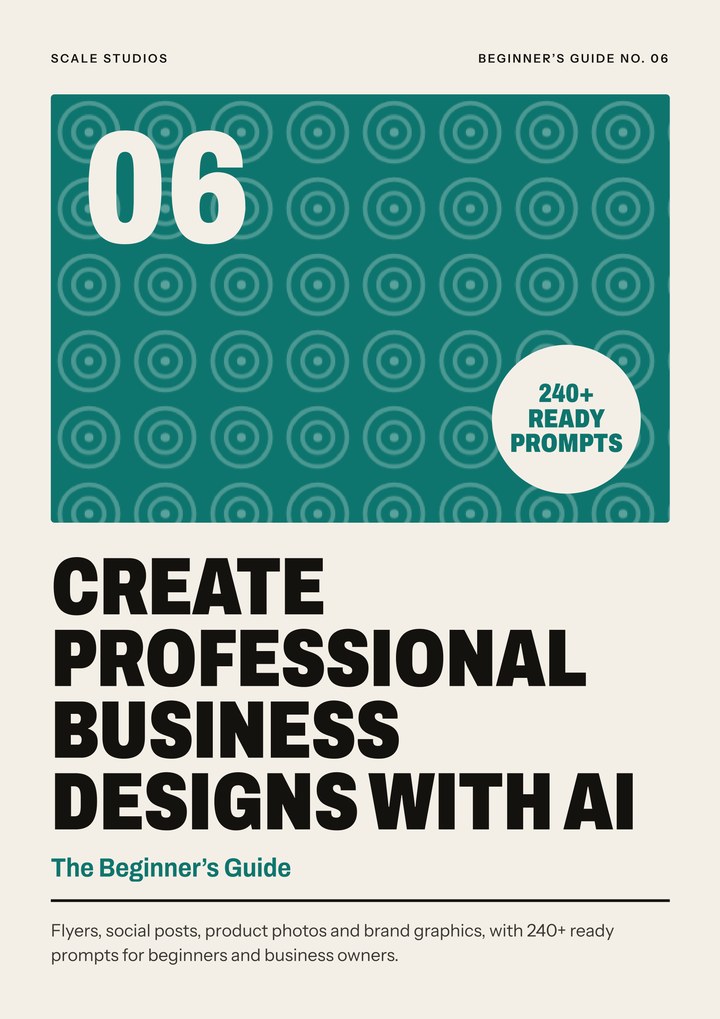
Make designs that look professional, with AI and the right prompts
Stop posting designs you're not proud of. Learn the workflow behind clean AI designs, then copy from 240+ ready prompts for social posts, flyers, product photos, logos, menus, banners and more.
- Secure checkout on Nestuge
- Instant PDF download
- Reads well on your phone
Watch
See it before you buy.
Independence Offer · ends 31 October
Get it for ₦25,000
Celebrate Independence at half price.
₦50,000₦25,000Save ₦25,000
00Days
:
00Hours
:
00Minutes
:
00Seconds
The price goes back to ₦50,000 on 1 November.
Sound familiar?
You've tried. It hasn't clicked yet.
You pay for every flyer, and still wait days for it.
Your posts don't look like one brand. Every design looks different.
You don't know what to type, so you type "make a nice flyer" and hope.
You want to design for clients but you're not sure your work looks professional enough.
You don't need more motivation. You need a clear method, worked examples and honest numbers. That's what Create Professional Business Designs With AI gives you.
Get the ebookThe shift
From stuck to sorted.
Before
- Random prompts and wasted credits
- Spelling mistakes baked into images
- Designs that look "AI"
- Every post a different style
After the guide
- A seven-part prompt formula that gives you what you pictured
- Text you control, added cleanly in your editor
- Real products shown honestly in professional settings
- One brand look, every time, with your own style block
What's inside
Everything you need, in one guide.
What people are saying
First impressions of Create Professional Business Designs With AI.
What people told us about Create Professional Business Designs With AI, and what drew them to it.
The range of uses, from flyers to product photos, is what makes this guide appealing.Range of uses
Having prompt starting points sounds more convenient than writing every instruction from scratch.Ready prompts
I’d adapt the prompts to my colours, products and audience.Your brand
The 240-plus prompts are the feature I’m most interested in.240+ prompts
The product-photo section is particularly interesting for online sellers.Product photos
The ready prompts would be useful for getting past the blank-page stage.Blank page
A relevant topic for business owners who regularly need new graphics.Business graphics
The prompt collection is appealing, especially when you’re unsure how to describe an idea.Describe your idea
I’m interested in using AI to explore concepts before choosing a final design.Explore concepts
The range of uses, from flyers to product photos, is what makes this guide appealing.Range of uses
The 240-plus prompts are the feature I’m most interested in.240+ prompts
A relevant topic for business owners who regularly need new graphics.Business graphics
Having prompt starting points sounds more convenient than writing every instruction from scratch.Ready prompts
The product-photo section is particularly interesting for online sellers.Product photos
The prompt collection is appealing, especially when you’re unsure how to describe an idea.Describe your idea
I’d adapt the prompts to my colours, products and audience.Your brand
The ready prompts would be useful for getting past the blank-page stage.Blank page
I’m interested in using AI to explore concepts before choosing a final design.Explore concepts
A real excerpt
Peek inside: the seven-part prompt formula in action (chapter 4)
A square Instagram post background. A tray of golden puff-puff on a
wooden table in a bright Nigerian kitchen. The tray sits in the lower
third, with empty space at the top for a headline. Professional food
photography, warm and appetising. Warm orange and cream tones, soft
morning window light. No text, no logos, no people, no extra objects.

Format · Subject · Setting · Composition · Style · Light · Constraints
The contents
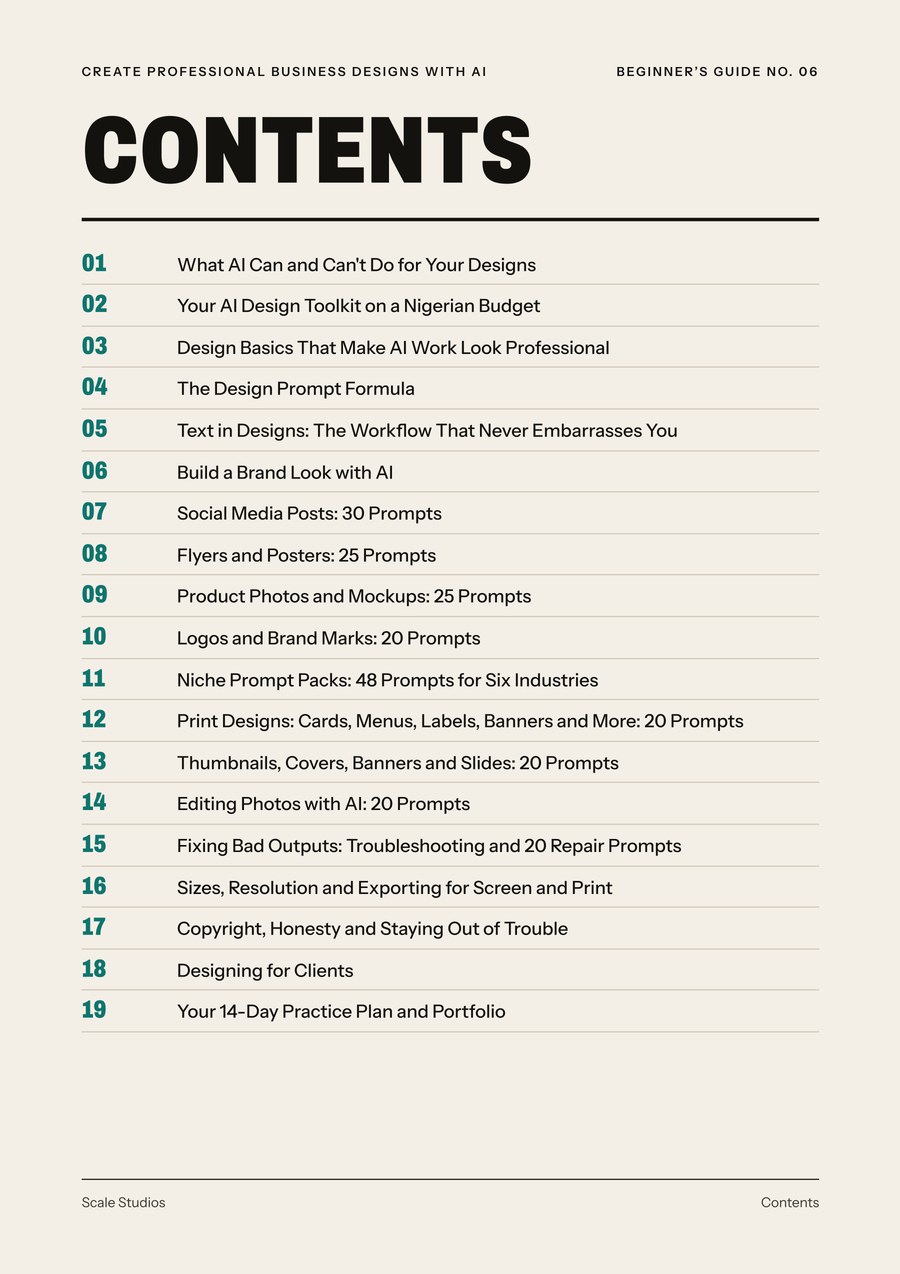
Chapter by chapter.
- What AI Can and Can't Do for Your Designs
- Your AI Design Toolkit on a Nigerian Budget
- Design Basics That Make AI Work Look Professional
- The Design Prompt Formula
- Text in Designs: The Workflow That Never Embarrasses You
- Build a Brand Look with AI
- Social Media Posts: 30 Prompts
- Flyers and Posters: 25 Prompts
- Product Photos and Mockups: 25 Prompts
- Logos and Brand Marks: 20 Prompts
- Niche Prompt Packs: 48 Prompts for Six Industries
- Print Designs: Cards, Menus, Labels, Banners and More: 20 Prompts
- Thumbnails, Covers, Banners and Slides: 20 Prompts
- Editing Photos with AI: 20 Prompts
- Fixing Bad Outputs: Troubleshooting and 20 Repair Prompts
- Sizes, Resolution and Exporting for Screen and Print
- Copyright, Honesty and Staying Out of Trouble
- Designing for Clients
- Your 14-Day Practice Plan and Portfolio
How it works
Three steps. Start tonight.
- Get the ebookPay securely on Nestuge.
- Download instantlyA designed PDF you keep, on your phone and laptop.
- Follow the planEach chapter ends with actions you can do the same day.
The details
Exactly what you get.
FormatDesigned PDF ebook
Length123 pages, 19 chapters
DeliveryInstant download after checkout on Nestuge
Reads onPhone, tablet or laptop, any PDF reader
Price₦50,000 ₦25,000, one-time payment
SupportReply to your Nestuge receipt email
Why this guide
Not another course. A method.
| Free videos | Paid "academies" | Create Professional Business Designs With AIThis guide | |
|---|---|---|---|
| A clear, ordered plan from start to finish | No | Varies | Yes |
| Written for Nigeria: naira budgets, data costs, dollar payments | No | Varies | Yes |
| Worked examples you can adapt | Varies | Varies | Yes |
| Honest about results, no income promises | Varies | No | Yes |
| Yours to keep and reread | Yes | Varies | Yes |
| Cost | Free, but scattered | High fees | One-time, one guide |
General comparison of typical options, not a review of any specific provider.
This is for you if
- Business owners who make their own posts, flyers and price lists
- Social media managers, VAs and Canva designers adding AI to their skills
- Anyone who wants to start a design side hustle with a clear process
It's not for you if
- Anyone looking for a Photoshop or Illustrator masterclass
- People who want to fake products, reviews or results
- Anyone expecting AI to do everything with one click
Our honest promise
We don't promise income, clients, jobs or sales. We promise a complete, practical method written for how things really work in Nigeria.
Questions
Before you buy.
Still unsure? Reply to your Nestuge receipt email after buying and we'll help.
Which AI tools does it use?
It is tool-neutral. The prompts are written in plain English and work with most image tools, including chat assistants like ChatGPT and Gemini and dedicated generators. It shows where settings like size go in each type of tool.
Do I need to pay for AI tools?
You can start with free tools and plans, but check each tool's terms for commercial use and watermarks. The guide has a budget worksheet so you know your real cost per design.
Can I do this on my phone?
Yes. Most AI tools and editors like Canva have phone apps. A laptop helps for print work and precise edits.
Can AI write the text on my flyer?
AI text is still unreliable for prices and phone numbers. The guide teaches a workflow where AI makes the picture and you add the words in your editor, so nothing is misspelt.
Will I own the designs?
The guide explains what is known about ownership of AI images, including the US Copyright Office's 2025 position, and how to work honestly with clients. It is not legal advice.
Is it a video course?
No. It's a 123-page designed ebook (PDF) with 19 chapters and 243 prompts.
How do I receive it?
Checkout is on Nestuge. After payment you can download the PDF straight away.
Not ready yet?
Read the free guide
How to Make Graphic Designs with AI: The Essentials
Start with our free beginner's guide. Read it online or download the PDF.
Create Professional Business Designs With AI
₦50,000₦25,000One-time paymentInstant PDF download
Get the ebook · ₦50,000 ₦25,000
Better designs, without the guesswork.
Make flyers, social posts, product photos and brand graphics with AI: 240+ ready prompts.
Not ready yet? Read the free beginner's guide first.